Showing posts with label image design. Show all posts

Monday, May 6, 2013

Masking Images

In Project 7, my Image Design students were asked to blur the background of an image while leaving the one part of the foreground perfectly clear. They used a technique called "masking" to pull this off. A mask is a special kind of layer that lets you hide or reveal previous layers.

Here is a video to help explain how to create this effect in Gimp...


Check out these student-created samples!
 By Yamilex

By Maria

 By Nick

 By Angela

Amazing work kids! I love the way you created one clear image within the photograph. Keep it up!

Tuesday, April 23, 2013

Image Design Show & Tell

Here are a few samples of student work in our Image Design and Editing course.

First off, students were asked to draw fruit, adding an apple, a banana and an orange to each layer in GIMP. I was not only impressed by the drawing skills my students possess, but by the detail and creativity!

By Malena

By Angela

Next,students put everything they've learned so far to good use. They created funny comics by cutting an image from its background and adding it to a new one. Then, they were to add a speech bubble as well. These were certainly fun to grade. Check them out below!

Moon Doggie...
By Domanin

...or perhaps a karate chop moon man!
By Jeremiah 

Of course there's always the girl 
in the desert with a sweater...
By Megan

...and a little Who-mer.
By Ivy

You guys crack me up!

 Just imagine the possibilities.

More to come!

Thursday, April 11, 2013

GIMP Tutorials

I found two GIMP tutorials that I think my Image Design students will enjoy. The first involves image manipulation, which is used to create a cool 3D photo... starring yourself! The second will come in handy as you make up your comics in Lesson 6.

Photo Manipulation


Adding a Speech Bubble
 
 
I can't wait to see more of your creative GIMP creations this semester!

Tuesday, March 5, 2013

Image Design

Now that we are finished with the first "Layers" assignment, I just have to share. My Vamp poster looks silly compared to these AWESOME images. They put mine to shame. (No offense, Vamp).

 By Michael...


By Jacobi...

By Ivy...


 Original by rooster82 // deviant art

By Maria...


Click here for the original post and a 15 minute tutorial on adding layers to your image using Gimp.

Cool, right?

Monday, February 18, 2013

GIMP: Adding Layers to an Image

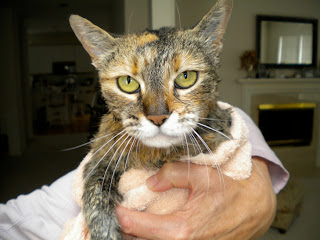
In Project 2, we will learn how to add layers to an image. Layers are a great tool to use when adding text, changing the background, and creating nifty images like the one of Vamp below.

For those visual learners out there...
Here is a 15 minute tutorial on adding layers to your image using Gimp.

 
Check out super awesome student projects here.
 
Have fun!

Sunday, August 5, 2012

Techie Cheat Sheets

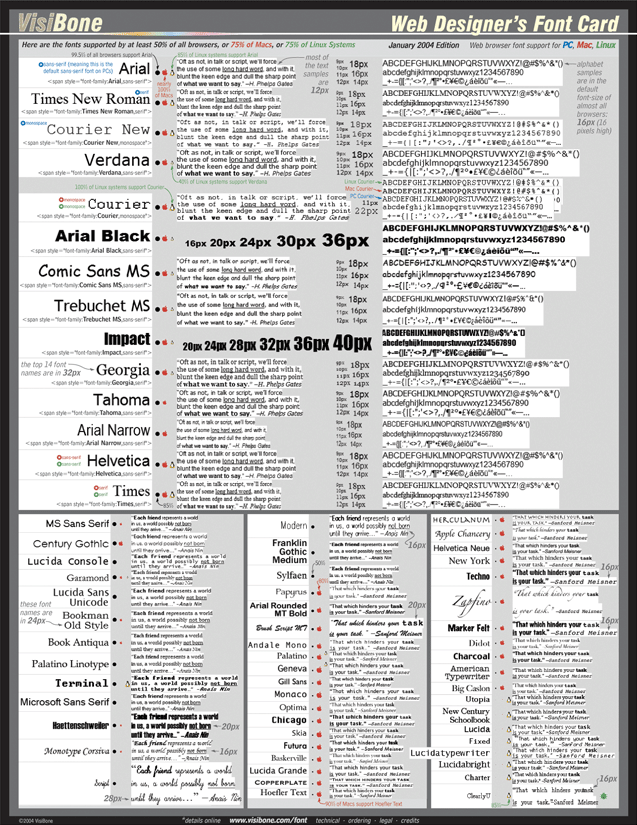
I found this cool list of cheat cheats on a site called Design Bread...

Cheat sheets are a great way to have references on hand for everything from shortcuts and hot keys, to handy tips to improve your workflow. Be sure to browse the whole page and see all of the categories! Book mark this page also so that the next time you are looking for a particular cheat sheet you can just come right here and find it quickly!


Find cheat sheets for Video programs, Image Editing Programs, Web Languages, SEO, Social Media, and even Photography. They will add more, so check back occasionallly.


I'll add the link to our Resources page too.

Enjoy!